

How to get the Hallmark Channel in the UK
You can’t beat a romantic Christmas film, and Hallmark has them in abundance. That’s right, they’re not just well-loved for their Hallmark cards at Christmas, they also do movies too. Some might say that once you’ve seen one Hallmark Christmas film, you’ve seen them all. I guess they do tend to follow the same format most of the time! But that doesn’t mean we stop watching. You just can’t beat snuggling up under a blanket with the fire crackling and a Hallmark Christmas film playing on the TV. But we haven’t always been able to access Hallmark in the UK. Thankfully, that’s all now changed, and you can now get the Hallmark Channel in the UK.
[lwptoc]
How to watch Hallmark Channel UK
In order to get access to Hallmark TV in the UK, you will first need an Amazon Prime subscription. It works out cheaper to pay the annual subscription price for Amazon Prime which is currently £95 per year. If you would rather pay monthly so you can budget for it, then the monthly fee is £8.99 which works out at £107.88 over the year.
Once you’ve got an Amazon Prime account, you will then need to add on Hallmark TV. This is a prime add-on which isn’t actually included in your Amazon Prime fee and it costs an additional £4.49 per month. Note that this is liable to change at any time, so make sure you double-check the cost yourself before signing up.
How to add Hallmark TV to Amazon Prime
It’s really simple to add Hallmark TV to your account, and your subscription will begin immediately, so if you’re ready to start watching Hallmark movies now, then follow the steps below.
If you’re struggling to add Hallmark TV to your Amazon Prime account, then follow these steps:
- Head to amazon.co.uk
- Click on Prime Video
- Click on the subheading Channels
- Scroll down to Prime Video Channels
- Use the arrow to scroll to the right until you see Hallmark TV
- Click on Hallmark TV and you’ll then be given the option to add it to your Amazon Prime account
Once you’ve done that, then you’re free to watch the Hallmark Channel in the UK. There are lots of seasonal films on there, it’s a really heartwarming channel to have over the Christmas period in particular. If you just want to watch films over Christmas, then you can just sign up for one month and then cancel your monthly subscription, you aren’t tied in for a particular length of time. I tend to add Hallmark TV at the beginning of December so that we can access the Christmas films for the whole month of December.
How to get the Hallmark Channel in the UK for Free
It is possible to get access to the Hallmark channel in the UK free of charge, but only for a short amount of time.
If you haven’t already got an Amazon Prime account, you can get a 30-day free trial here.
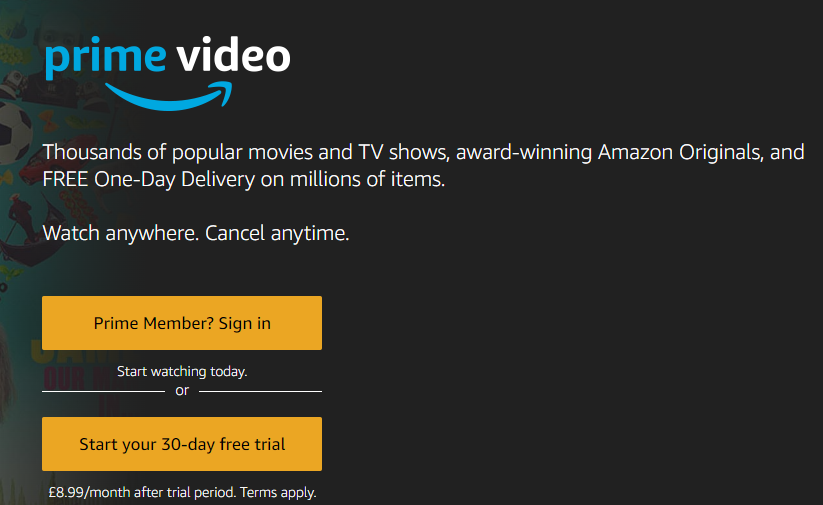
Once the 30-day free trial has ended, you will then be charged £8.99 for a monthly subscription, so make sure you cancel before the 30 days is up if you don’t want to keep your Amazon Prime subscription.

Once you’ve got your 30-day free trial set up, you can then add Hallmark movies and get a 7-day free trial. Again, be sure to cancel your subscription before the 7 days is up if you don’t want to keep it.
How to cancel the Hallmark Channel UK
If you just want to be able to access Hallmark movies over the holiday season, then you’ll need to know how to go about cancelling your subscription.
Here is a simple step-by-step way to cancel your subscription to the Hallmark Channel in the UK.
How to cancel your subscription to the Hallmark Channel on a computer
- On a computer, log in to your Amazon account
- Hover over your name in the top right corner
- Click on ‘Your Account’
- Scroll down to ‘Membership and Subscription’
- Click on ‘Prime Video Channels’
- Click ‘cancel’ next to Hallmark TV
How to cancel your subscription to the Hallmark Channel using the Amazon app
If you’re using the Amazon app then the process is slightly different, but it’s still really easy to cancel your subscription to Hallmark TV.
- Open up the Amazon app
- Click on the person app at the bottom of your screen
- Click on ‘Your Account’
- Click on ‘Memberships and subscriptions’
- Click ‘Cancel subscription’ underneath Hallmark TV
It’s really simple to add the Hallmark Channel to your Amazon Prime account, and really easy to remove it again too, which makes it great for watching seasonal movies to really get you in the mood, particularly at Christmas time. And don’t forget, Hallmark also have lots of drama series and mysteries too, so it’s not just about the Christmas movies.
Other Benefits of Amazon Prime in the UK
As well as being able to add on subscription channels such as Hallmark TV in the UK, there are lots of other benefits to having an Amazon Prime subscription too. Obviously, paying out for a subscription isn’t going to suit everyone’s budget, and it’s by no means an essential purchase, but if you have the budget for it, there are lots of benefits:
Amazon Delivery
- Unlimited next-day delivery on millions of items.
- Unlimited same-day delivery on many items (subject to item availability and delivery postcode).
- Dedicated Amazon Day – you can select a weekly delivery day for all of your Amazon purchases. This is a great way to organise your deliveries for a day that you’re in and it also helps to cut down on the number of deliveries drivers need to make, which is great for the planet too.
Amazon Prime Streaming Benefits
- Your Amazon Prime subscription will give you access to Prime Video, a streaming service that allows you to watch thousands of movies and TV shows. You also get access to all of the Amazon Originals too.
- An Amazon Prime subscription gives you the ability to add on premium third-party channel subscriptions. Of course, there is Hallmark TV, but you can also access channels such as Discovery, BritBox and Eurosport Player.
- Access to Amazon Music Prime.
- Reduced price for Amazon Music Unlimited,
- Bonus gaming content from Prime Gaming.
Amazon Prime Shopping Benefits
- Early access to Lightning Deals.
- Use Alexa to order items.
- Same-day grocery delivery with Amazon Fresh and Morrisons.
- Prime Try Before You Buy allows you to try on items before you pay for them.
Reading Benefits
- Prime Reading gives Amazon Prime members access to thousands of eBooks, magazines and comics.
- Amazon First Reads allows members to read one of the following month’s Kindle releases before anyone else.
Extra Benefits
- Link your Amazon Prime account with another adult so that they can use the benefits too.
- Prime Photos allows you to store unlimited digital photos securely.
- Reduced price access to Amazon Kids+.